Your CPAP data, straight from the SD card
See what really happened while you slept. Then talk it over with Claude, Gemini or ChatGPT, connected straight to your nights.
Each breath, each event and how your therapy is trending, in your browser. Nothing to install.
No credit card needed.
Works with ResMed, Philips DreamStation, Löwenstein prisma, Resvent iBreeze and BMC Luna G3 SD cards
Reads ResMed SD cards: S9, AirSense 10 and 11, AirCurve 10 and 11, Lumis. Early support for Philips DreamStation 1 and 2, Löwenstein prisma (Smart, Soft and Line), Resvent iBreeze, and BMC Luna G3 (React Health). If you have one of these, tell us how your first import went. Imports oximeter recordings from Wellue / Viatom (O2Ring, Checkme O2, SleepU) and EMAY devices.
What you get
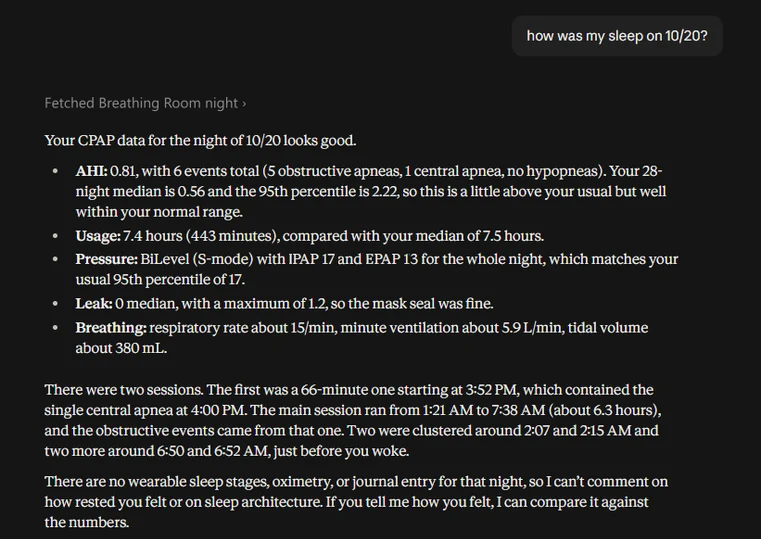
Ask your own AI about it
Connect Claude, Gemini or ChatGPT and ask how last night went, why your AHI was up, or whether the machine called an event right. It reads your nights, waveforms and sleep stages on request and answers in plain language. Analysis is AI-generated and not medical advice.
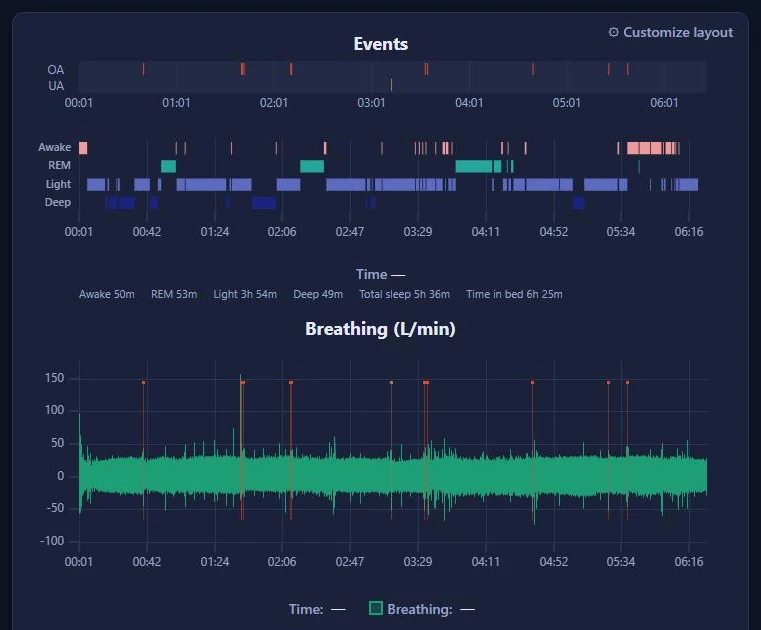
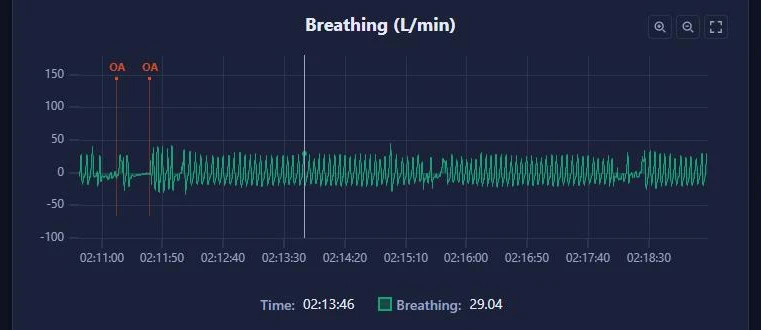
Every breath, every event
Flow, pressure and leak for the whole night, with each apnea and hypopnea marked. Zoom from eight hours down to a single breath.
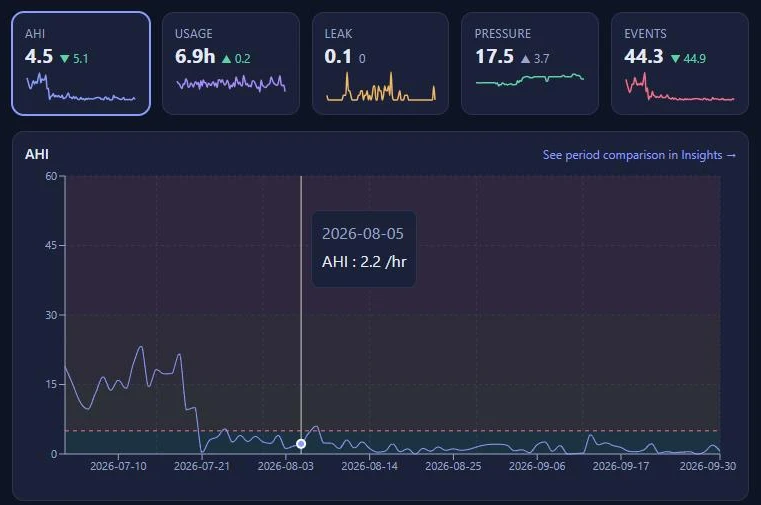
Months at a glance
AHI, leak, pressure and hours of use over weeks and months, so a change of mask or settings shows up in the numbers.
A report for your doctor
A PDF report of any night, to print or send before your next appointment.
Your oximeter on the same timeline
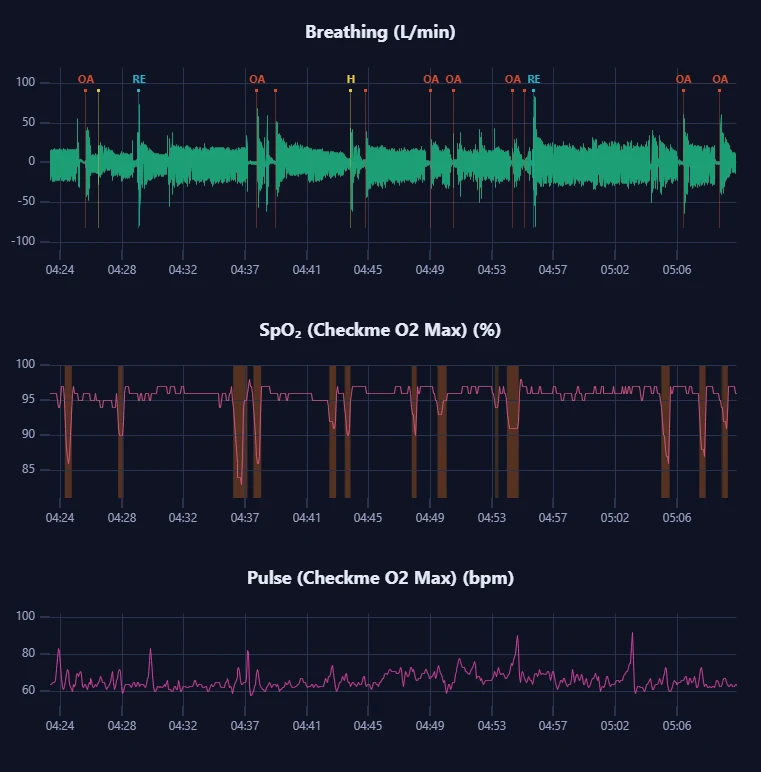
Import a Wellue or EMAY recording and see SpO₂ and pulse under your breathing, with every desaturation shaded.
More inside
AI summaries
A plain-language summary of each night. Optional.
Oura and oximeter overlays
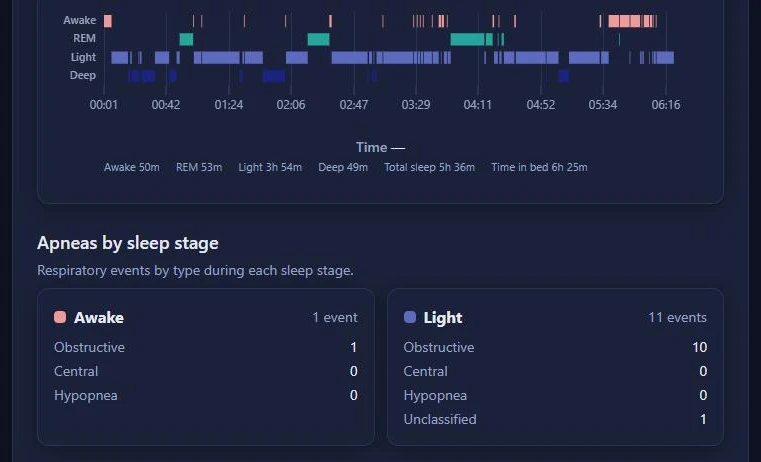
Your Oura sleep stages and your oximeter's SpO₂ next to your therapy data.
Journal
Notes and tags for each night.
Share links
A read-only link for your doctor or partner.
Exports
CSV, JSON and PDF.
How it works
- Step 1
Take out the SD card
It is in the side of your machine.
- Step 2
Upload it
Choose the card in your browser.
- Step 3
Read your nights
On your computer or your phone.
Your data
Encrypted
Your uploaded files and waveforms are encrypted at rest with a key unique to your account.
Never sold
We do not sell your data or use it for advertising.
Yours to take or delete
Download your data, or delete your account and its data, whenever you like.